This feature requires the Team or Enterprise plan.
pgconsole provides fine-grained access control for your database connections. You define IAM rules in your configuration file, and pgconsole enforces them — rejecting unauthorized queries before they reach the database.
Unlike PostgreSQL’s built-in role system (GRANT/REVOKE), pgconsole’s access control operates at the application layer. You don’t need to create database roles for each user — all users connect through shared credentials while pgconsole enforces per-user permissions, controls application-level features like export, and logs every action for auditing.
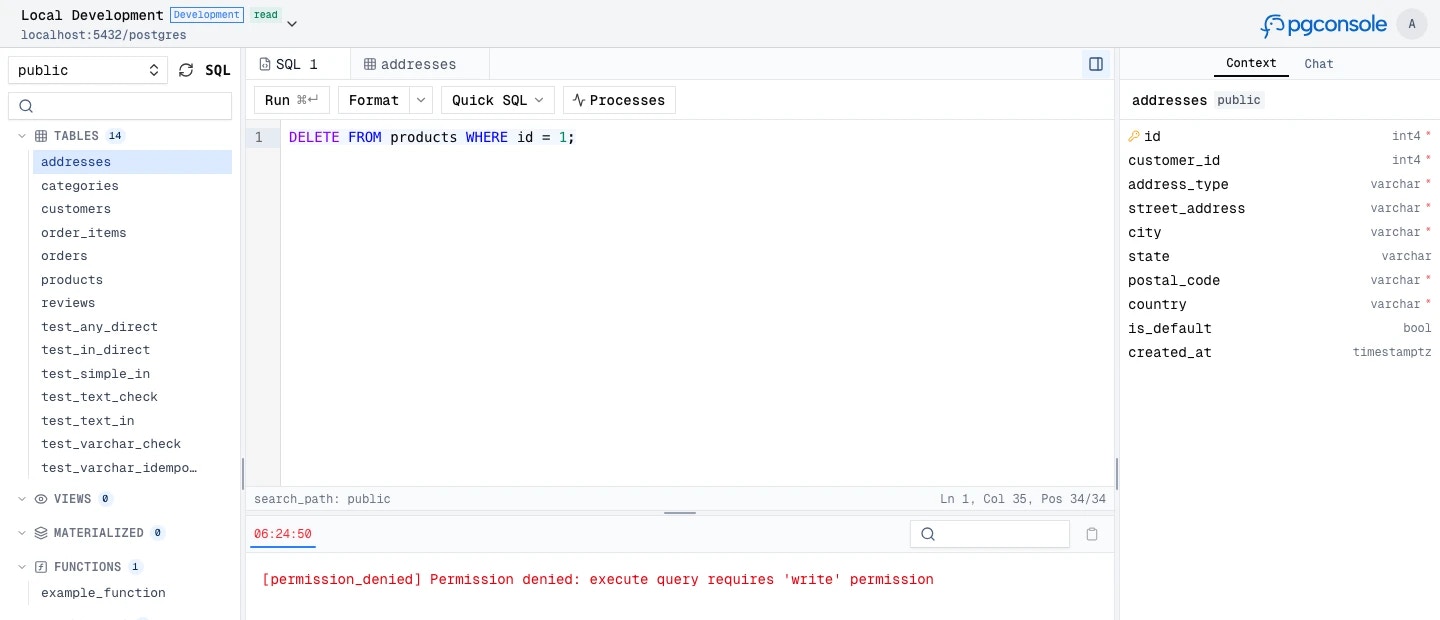
Access control in pgconsole works on three principles:
- Default deny — users have no access unless a rule explicitly grants it
- Connection-scoped — permissions are granted per database connection, not globally
- Disjoint permissions — each permission level is independent;
write does not imply read
When IAM is enabled, users only see connections they have at least one permission for. Connections without any matching rules are hidden entirely.
Prerequisites
- Authentication must be enabled; otherwise, all users get full access to all connections
- Users must be defined in
[[users]]
- Groups (if used) must be defined in
[[groups]]
Permission Levels
Independent permissions control what users can do:
| Permission | What It Controls | UI Elements Affected |
|---|
read | SELECT, SHOW, SET queries | Query execution |
write | INSERT, UPDATE, DELETE | Inline row editing, add/delete rows, staged changes |
ddl | CREATE, ALTER, DROP, TRUNCATE, GRANT, REVOKE | Edit function definitions |
admin | Role/database management, pg_terminate_backend | Terminate sessions, cancel other users’ queries |
explain | EXPLAIN queries | Explain button in editor toolbar and context menu |
execute | CALL stored procedures | Procedure execution |
export | Export from results | Export button |
A single SQL statement can require multiple permissions. For example, SELECT pg_terminate_backend(123) requires both read (for the SELECT) and admin (for the function call).
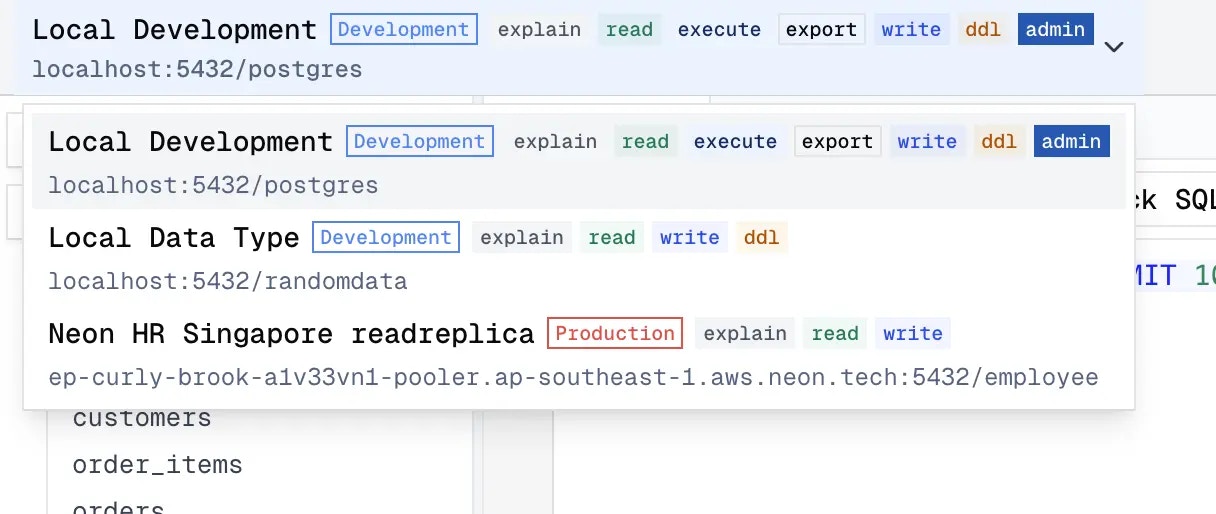
The permission badge shows the user’s permissions on each connection.
Groups
Groups let you manage permissions for multiple users at once instead of listing individual emails in every IAM rule. Define groups in pgconsole.toml with [[groups]] sections:
Defining Rules
Each [[iam]] rule specifies a connection, a set of permissions, and a set of members.
[[iam]]
connection = "production"
permissions = ["explain", "read", "write"]
members = ["*"]
Targeting Connections
| Value | Scope |
|---|
* | All connections |
<connection-id> | A specific connection |
Targeting Members
| Format | Who It Matches |
|---|
* | Any authenticated user |
user:<email> | A specific user |
group:<group-id> | All members of a group |
Granting Permissions
List individual permissions or use the shorthand:
# Specific permissions
permissions = ["read", "write", "explain", "export"]
# All permissions at once
permissions = ["*"]
Common Patterns
Read-Only Access for Everyone, Full Access for DBAs
[[iam]]
connection = "*"
permissions = ["read", "explain", "export"]
members = ["*"]
[[iam]]
connection = "*"
permissions = ["*"]
members = ["group:dba"]
Environment-Based Access
# Developers: full access to dev, read-only on staging and prod
[[iam]]
connection = "development"
permissions = ["*"]
members = ["group:developers"]
[[iam]]
connection = "staging"
permissions = ["read", "explain"]
members = ["group:developers"]
[[iam]]
connection = "production"
permissions = ["read", "explain"]
members = ["group:developers"]
# DBAs: full access everywhere
[[iam]]
connection = "*"
permissions = ["*"]
members = ["group:dba"]
Analyst with Export Access
[[iam]]
connection = "analytics"
permissions = ["read", "explain", "export"]
members = ["user:[email protected]"]
Write Access on Staging Only
[[iam]]
connection = "*"
permissions = ["read"]
members = ["group:dev-team"]
[[iam]]
connection = "staging"
permissions = ["write"]
members = ["group:dev-team"]
Because permissions are a union of all matching rules, the dev team ends up with read on all connections and read + write on staging.