

Configuration
API keys are stored in your config file and never sent to the frontend.
pgconsole.toml. See AI Providers for the full field reference.
- OpenAI
- Anthropic
- Google
pgconsole.toml
Features
Text-to-SQL
Generate SQL queries from natural language descriptions. Open the Chat tab in the right panel, select an AI provider, and describe the query you need. Conversations support multi-turn follow-ups.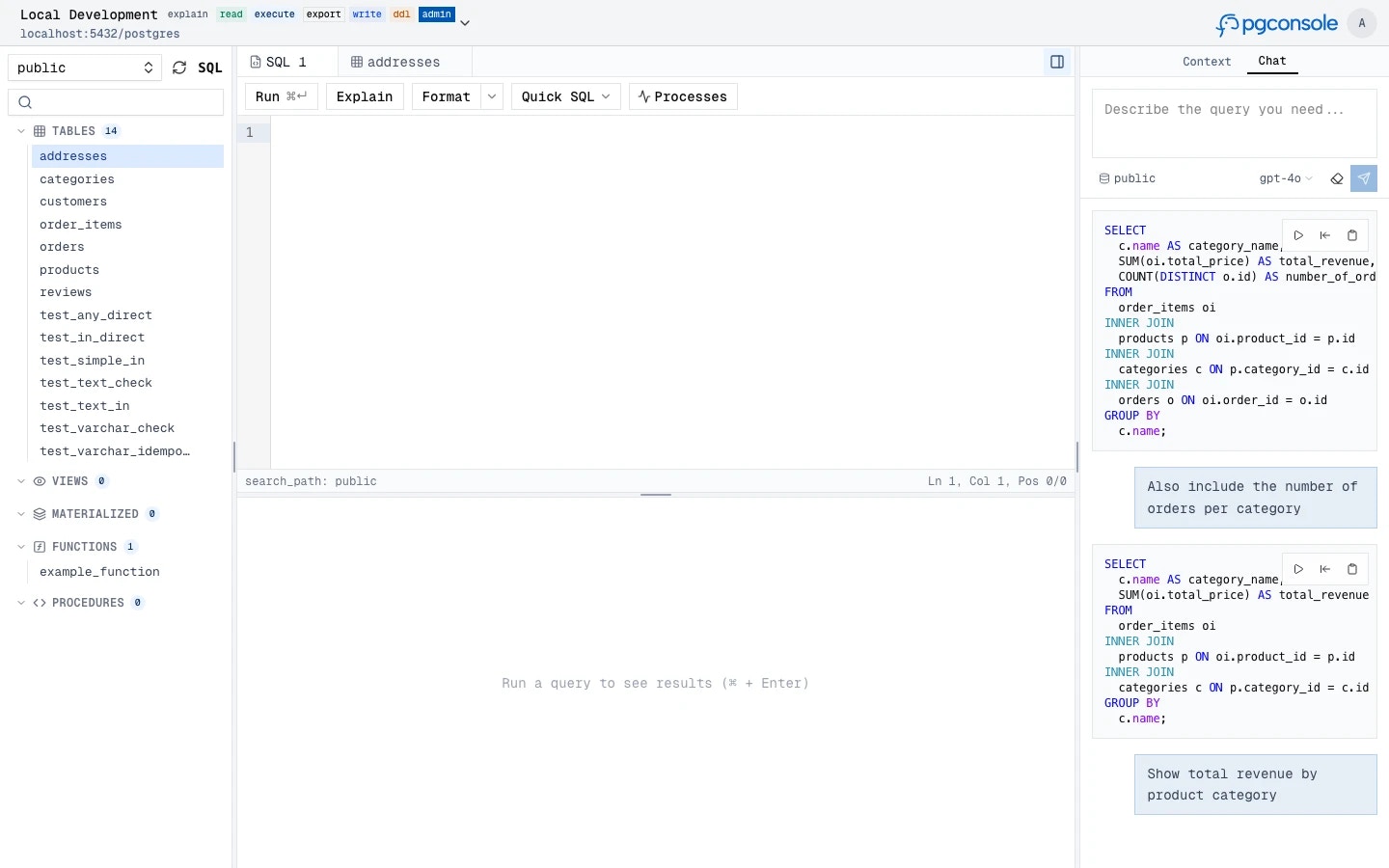
Fix SQL
When the editor detects a syntax error (via inline linting), an AI fix suggestion appears. Clicking it sends the SQL and error message to the AI, which returns a corrected version that replaces the original in the editor.
Explain SQL
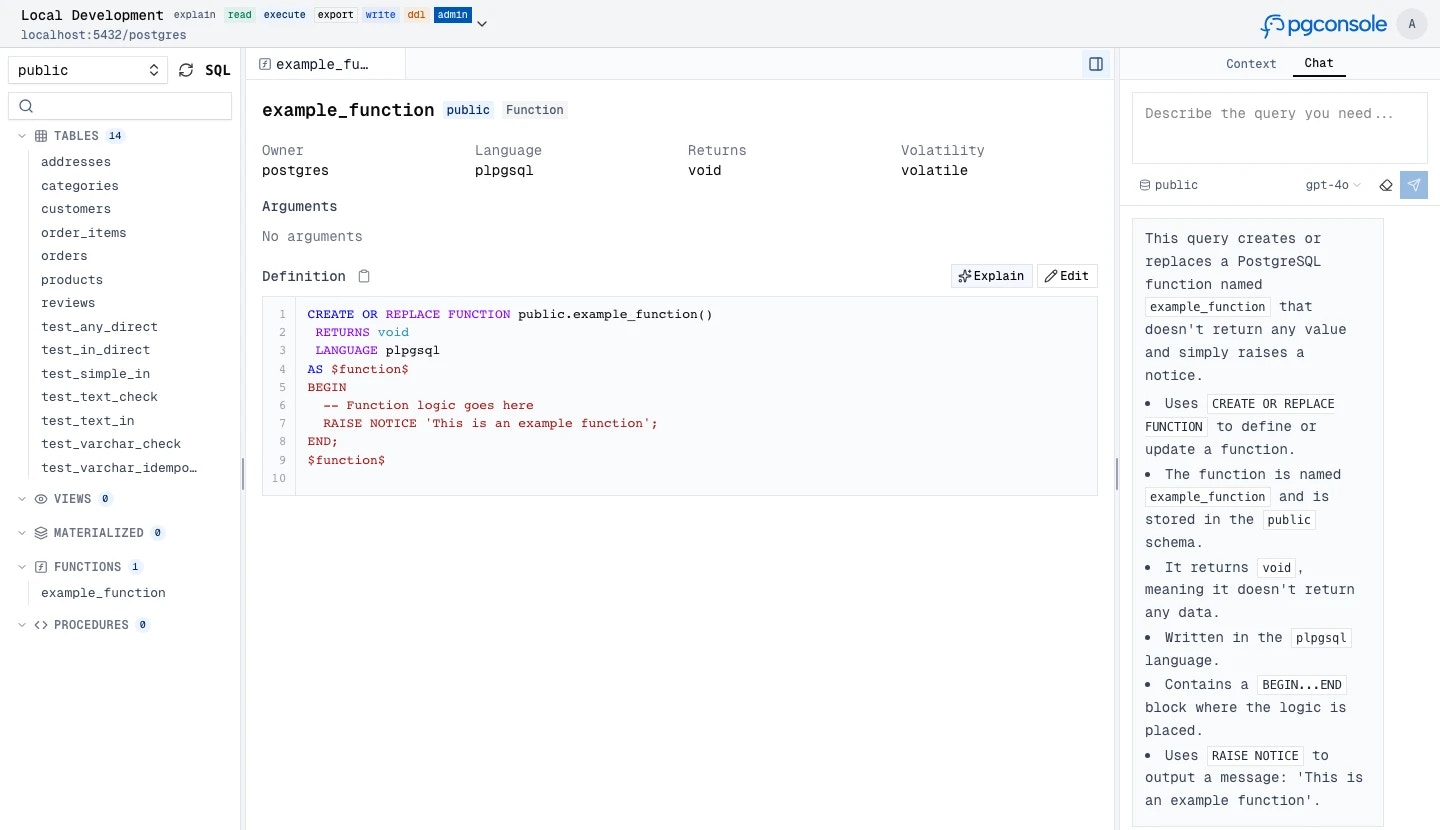
Get plain-language explanations of SQL queries. Usage:- Right-click a query in the editor and select Explain with AI
- Or click the Explain button in a function/procedure schema tab
Rewrite SQL
Usage: Right-click a query in the editor and select Rewrite with AI. The AI rewrites the query for better performance or readability, using your database schema for context. The rewritten SQL replaces the original in the editor.Change Risk Assessment
Analyze staged changes for potential risks before execution. In the staged changes preview, click Assess Risk to have the AI review the SQL. The assessment returns a list of findings, each with a severity level (high, moderate, low), category, and description.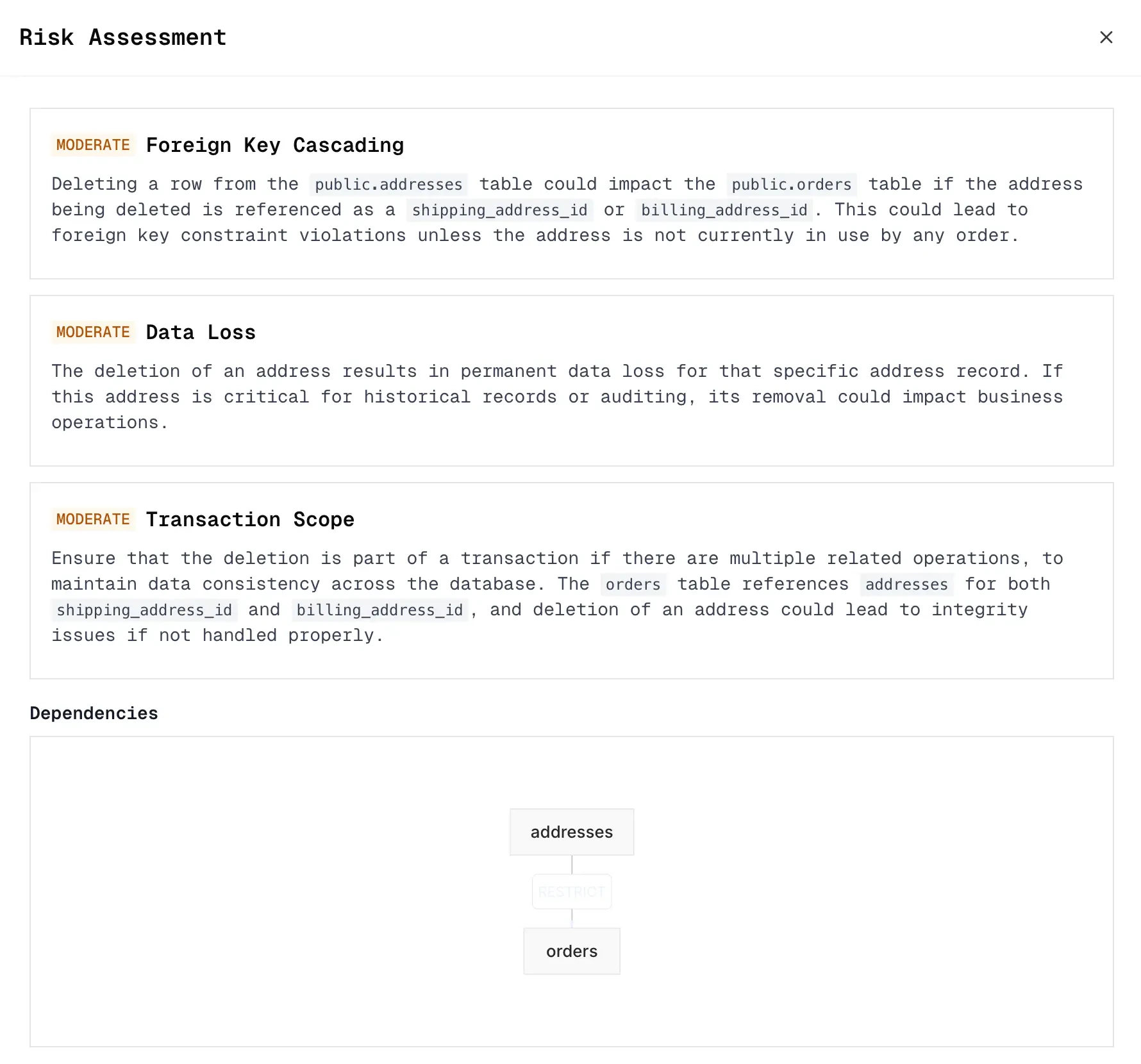
Schema Context
pgconsole only sends schema information to the AI provider.